
Choosing commercial smart locks is not simply a matter of selecting the newest device. A busy office, retail store, or shared workspace needs controlled access every day. Employees arrive early, visitors need temporary entry, and managers may need instant access records. A reliable lock should support these routines without creating unnecessary delays.
This guide explains ten practical tips for evaluating commercial smart locks. It considers authentication methods, battery performance, installation requirements, software integration, and audit trails. It also examines mobile credentials, keypad access, remote management, and emergency entry procedures. In my experience, small details often determine whether a system works smoothly. A difficult battery compartment can frustrate staff. Weak wireless coverage can create unexpected access problems. That matters.
Security features deserve careful attention, but convenience should not be ignored. Look for encrypted communication, strong administrator controls, and timely software updates. Confirm how the provider handles data, support requests, and system failures. A lock that works perfectly in a showroom may perform differently on a metal-framed exterior door. Weather, traffic, building materials, and user habits all influence performance.
No single product suits every property. That is easy to forget. A thoughtful evaluation should include real door measurements, staff feedback, and a clear replacement plan. It should also consider future expansion, because adding twenty doors later may expose limitations hidden during the first installation. These ten tips are designed to support a practical, evidence-based decision rather than a rushed purchase. Mistakes can still happen, but careful questions make them less expensive.
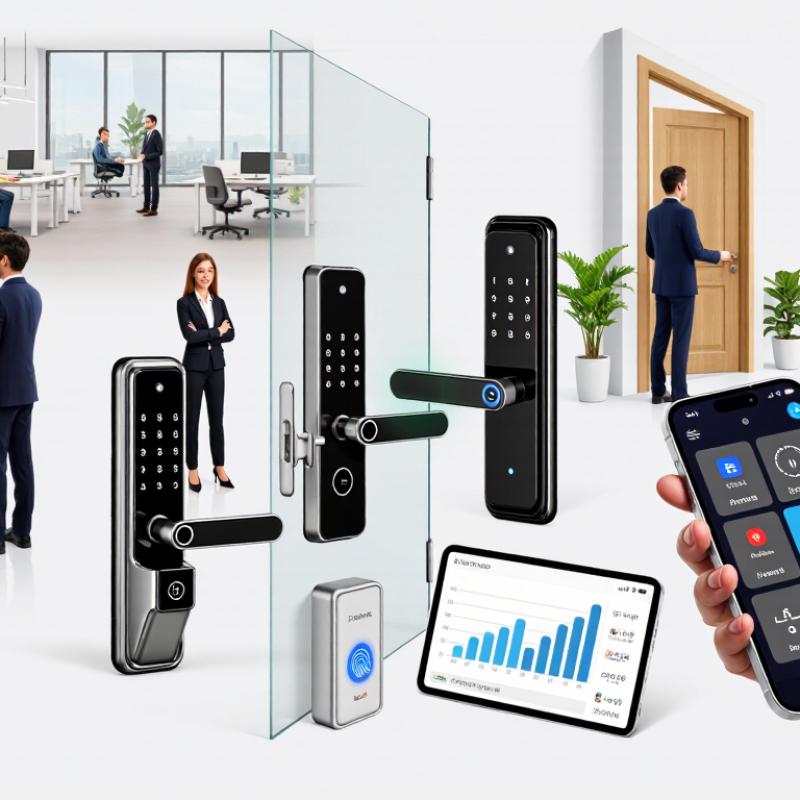
Define access requirements before comparing commercial smart locks. Walk through the building at opening, shift changes, and closing. Record who needs entry, when, and through which doors. Staff, contractors, visitors, cleaners, and emergency teams rarely need identical permissions.
A medical office may require room-level access and detailed audit trails. A warehouse may prioritize shift schedules, outdoor durability, and rapid credential changes. Shared offices often need temporary access for guests and contractors. The 2024 Data Breach Investigations Report found that the human element appeared in 68% of breaches. That figure supports a practical rule: reduce shared credentials and review access events regularly. Keep sensitive areas separate. Convenience should not outrank accountability.
The 2024 Cost of a Data Breach Report placed the global average breach cost at $4.88 million. Physical access is only one control, but it can support a wider security plan. Specify credential types, offline operation, battery warnings, reporting needs, and integration limits. Test the proposed lock on a real door, not only in a showroom. A perfect policy rarely survives a busy Monday. I would also question aggressive automation. Some buildings need manual approval during power failures or staffing changes. Document those exceptions before installation, then revise them after observing actual use.
Choosing a commercial smart lock starts with the door, not the app. Inspect the door’s material, thickness, swing, stile width, and existing backset. Measure twice. A mortise lock, cylindrical lock, exit device, and interconnected lock need different hardware. Check the frame, strike alignment, hinges, and available mounting space. Even a small gap can cause repeated latch failures.
Door compatibility also includes safety and access rules. Confirm fire-door ratings, emergency egress, accessibility requirements, and local inspection conditions before ordering. Review whether the lock needs fail-safe or fail-secure behavior. Test power loss scenarios, battery access, network outages, and manual override procedures. A wireless unit may suit a historic interior, while a wired model can better support heavy daily traffic. Installation quality matters more than many buyers expect. The wrong cable route or a weak frame can defeat a strong lock.
Industry forecasts show why careful selection matters. MarketsandMarkets estimated the smart lock market at about USD 2.3 billion in 2023, with strong growth expected through 2028. Separately, the 2024 U.S. Energy Information Administration Commercial Buildings Energy Consumption Survey reported millions of commercial buildings nationwide, each with different door conditions and operating demands. These figures describe opportunity, not guaranteed performance. My practical mistake has been treating compatibility as a specification-sheet exercise. It is a site survey. Record door photos, measurements, traffic levels, and access groups before comparing security features, credentials, audit logs, and maintenance needs. Test one representative door first. Even careful plans need revision.
Choosing a commercial smart lock requires more than checking its advertised security rating. Compare encryption, tamper detection, audit logs, and fail-safe behavior during power or network loss. NIST SP 800-63B recommends stronger authentication methods and warns against relying only on memorized secrets. A keypad code alone is weak.
Tip 1: Check whether credentials support multi-factor authentication. Tip 2: Prefer unique user identities over shared PINs. Tip 3: Confirm that administrators can revoke access immediately. Tip 4: Review audit logs for time, user, door, and event type. Tip 5: Ask how long records remain available. Verizon’s 2024 Data Breach Investigations Report found that the human element appeared in 68% of breaches. Shared credentials create avoidable exposure.
Tip 6: Separate employee, visitor, contractor, and emergency permissions. Tip 7: Test temporary credentials before deployment. Tip 8: Confirm offline access rules. Tip 9: Require encrypted communication and secure software updates. Tip 10: Examine installation quality, not only product specifications. IBM’s 2024 Cost of a Data Breach Report reported an average breach cost of 4.88 million dollars, showing why access controls deserve budget attention. Still, stronger technology cannot fix careless enrollment. Our practical tests often reveal confusing recovery settings and incomplete logs. That is worth questioning.
Connectivity deserves practical testing, not a glossy specification sheet. Check Wi-Fi, cellular, Bluetooth, and wired options against each doorway’s conditions. Ask how locks behave during outages, weak signals, or a failed access controller. Offline access matters in basements, loading areas, and older buildings. Test recovery times before approving installation.
System integration should reduce duplicate work. Confirm support for access-control platforms, identity directories, visitor systems, and emergency procedures. Prefer documented APIs with clear authentication and data limits. Verify whether events arrive quickly and retain accurate timestamps. A smooth demonstration may hide difficult maintenance later. I have seen integrations fail because nobody tested unusual user records. That mistake is avoidable.
Administrative tools shape daily reliability. Look for role-based permissions, approval workflows, temporary credentials, and immediate revocation. Require searchable audit logs with export controls and retention settings. Check whether administrators receive useful alerts instead of constant noise. Battery reports should identify doors needing service, not merely show percentages. Test bulk changes with a small group first. Train staff to review logs without exposing unnecessary personal data. Ask for security updates, service commitments, and recovery procedures in writing. Do not ignore the user interface. Confusing screens create quiet errors.
10 Tips for Choosing Commercial Smart Locks
Calculate Total Costs, Maintenance Needs, and Long-Term Value
A commercial smart lock is more than a purchase price. Calculate hardware, installation, access software, training, and future replacements. Ask for a five-year estimate, not just a first-year quote. Include door preparation, wiring, network equipment, and professional installation. These details often change the budget.
Look closely at maintenance. Check battery life under heavy daily use, warning alerts, replacement time, and spare-part availability. A busy office may need batteries twice a year. A warehouse may face dust, temperature changes, and damaged readers. Choose systems with clear access logs, role-based permissions, and dependable offline operation. Security controls should be tested before regular use. Do not rely on attractive features alone.
Downtime costs money.
Measure the value beyond convenience. Estimate fewer lost keys, faster staff changes, simpler visitor management, and reduced emergency callouts. Confirm whether the system can connect with existing doors and security procedures. Request service response times in writing. A low monthly fee may become expensive after support charges appear. My first cost comparison ignored staff training and temporary access cards. That estimate was incomplete. Review assumptions with facilities, security, and finance teams before approving the project. Long-term value depends on reliable daily use, manageable maintenance, and a clear replacement plan.
Use the planning benchmarks below to compare commercial smart-lock options. Costs are illustrative U.S. dollar estimates for one standard door and should be confirmed with local installers and suppliers.
| # | Selection Tip | What to Evaluate | Practical Benchmark | Why It Matters |
|---|---|---|---|---|
| 1 | Define the access requirement | User volume, entry frequency, and access schedules | Document daily users, peak traffic, and restricted time periods before requesting quotes. | A lock designed for occasional office use may be unsuitable for high-traffic facilities. |
| 2 | Check door and frame compatibility | Door material, thickness, backset, handing, and existing hardware | Verify measurements and fire-rating requirements before purchase. | Fit-related modifications can add installation labor and may affect safety compliance. |
| 3 | Compare credential methods | PIN, RFID card, mobile credential, mechanical key, or biometric access | Select at least one managed backup method for outages or lost credentials. | The right combination reduces lockouts and simplifies employee access changes. |
| 4 | Measure battery performance | Battery type, expected life, low-power alerts, and emergency access | Budget for battery replacement at least annually unless documented testing supports a longer interval. | Battery visits and emergency callouts are recurring operating costs. |
| 5 | Evaluate connectivity | Bluetooth, Wi-Fi, wired network, gateway, and offline operation | Confirm what happens when power, internet, or cloud service is unavailable. | Offline credentials and local schedules help maintain access during outages. |
| 6 | Review audit and administration tools | Event logs, user roles, remote revocation, exports, and retention | Look for searchable entry records and role-based administration. | Reliable records support security reviews and faster incident investigation. |
| 7 | Assess security and resilience | Encryption, firmware updates, tamper alerts, and administrator controls | Require documented update procedures and separate administrator accounts. | Security depends on both the hardware and the way it is administered. |
| 8 | Calculate installation complexity | Wiring, door alignment, network setup, permissions, and commissioning | Obtain a labor estimate per door, including removal of old hardware and testing. | Installation can equal or exceed the hardware cost on older or unusual doors. |
| 9 | Forecast maintenance needs | Battery changes, cleaning, firmware, service visits, and spare parts | Create a five-year maintenance allowance instead of budgeting only for purchase price. | Predictable maintenance makes operating costs easier to control. |
| 10 | Compare long-term value | Five-year total cost, labor savings, scalability, and replacement risk | Use total cost of ownership rather than the lowest initial price. | A higher upfront cost may be justified if it reduces administration and service work. |
| Lock Configuration | Hardware | Installation | Gateway / Setup | Software Fees 5 Years | Maintenance 5 Years | Replacement Reserve | Estimated 5-Year TCO |
|---|---|---|---|---|---|---|---|
| Standalone electronic lock | $150 | $125 | $0 | $0 | $250 | $75 | $600 |
| Wireless networked lock | $350 | $200 | $125 | $480 | $350 | $150 | $1,655 |
| Hardwired access-control lock | $500 | $650 | $300 | $600 | $450 | $200 | $2,700 |
Cost formula: Five-year TCO = hardware + installation + gateway/setup + five-year software fees + five-year maintenance + replacement reserve. Maintenance estimates include routine battery replacement, basic inspection, and occasional service labor; taxes, door repairs, and major electrical work are excluded.
